
Key takeaways
- We don't host or link to any APK, on purpose.
- Real apps update through the store; "update links" in chats are a red flag.
- Mod APKs can't change server-dealt cards or chips.
- Installed something bad? Uninstall, check Accessibility, call 1930 if money moved.
What People Mean by "Teen Patti Master APK"
An APK is simply the install file for an Android app. When an app comes from the Play Store, your phone downloads and checks that file for you. When you search for "Teen Patti Master APK", you're usually looking for that same file somewhere else: a website, a Telegram channel, or a link a friend forwarded.
That's where most of the trouble starts. The name Teen Patti Master is copied by dozens of sites, and many of the APKs they hand out aren't the app you think you're getting. Some are older builds, some are clones with a different owner, and some are malware dressed up with a familiar logo.
Real vs Fake: A Quick Side-by-Side
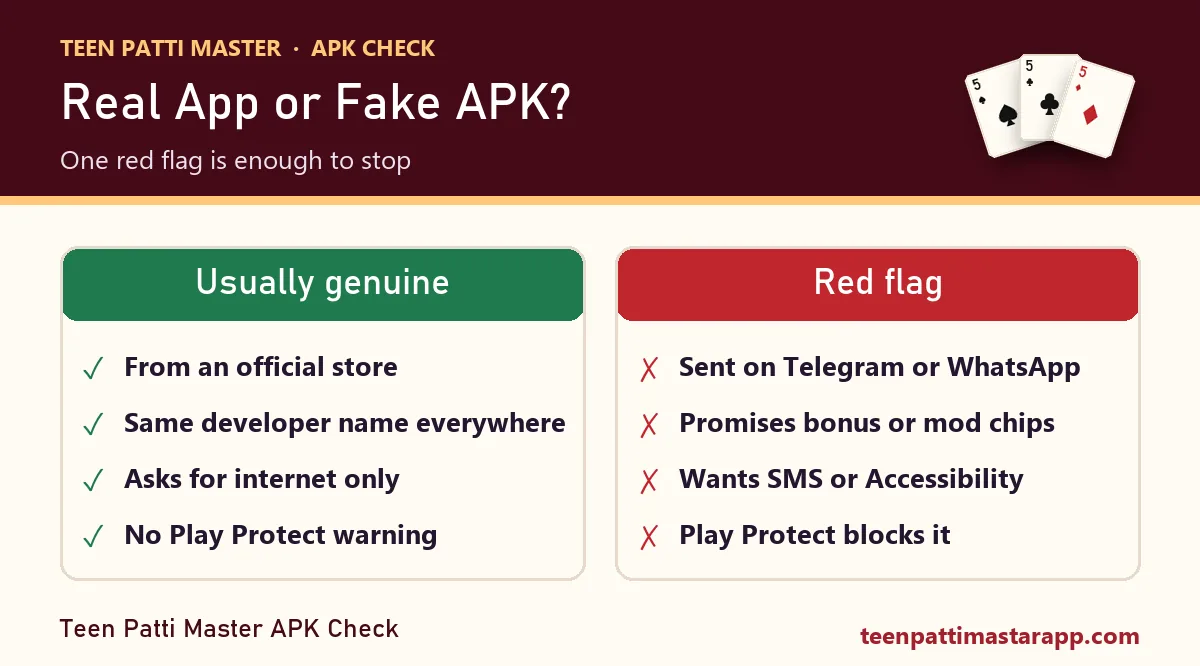
| Check | Usually genuine | Red flag |
|---|---|---|
| Where it came from | An official app store listing | Telegram, WhatsApp, SMS link, YouTube description |
| Developer name | Same name on the store, the website and the privacy policy | No developer name, or a different one on every page |
| File size | Close to what the store lists | Far smaller (a "loader") or oddly large |
| Permissions | Internet, maybe notifications | SMS, contacts, Accessibility, "display over other apps" |
| What the page promises | The game | "₹500 bonus", "mod chips", "100% win", "new version unlocked" |
| Play Protect | No warning | "Harmful app blocked" or "unverified developer" |
One red flag is enough to stop. You don't need all six.
Old Version, New Version and "Update" Links
A lot of searches are for the Teen Patti Master old version or the new version 2026. Here's the thing: a real app updates itself through the store. You never need to hunt for a separate "latest APK" link, and you shouldn't trust a message telling you that your app "has expired" and must be reinstalled from a link.
Old versions carry their own risk. They miss security fixes, and sites that collect old builds rarely check what's inside them. If an app only works when you install an outdated copy from a random site, treat that as the answer to whether it's legitimate.
What About Mod APKs and "Unlimited Chips"?
Card games like Teen Patti deal cards on the server, not on your phone. A modified APK can change what your screen shows, but it can't change what the server deals or how many chips your account really has. So a mod either does nothing, gets your account banned, or does something you didn't ask for, like reading your messages.
Modified APKs are one of the most common ways Android malware spreads in India. The "free chips" are the bait.
How to Check a File Before Installing
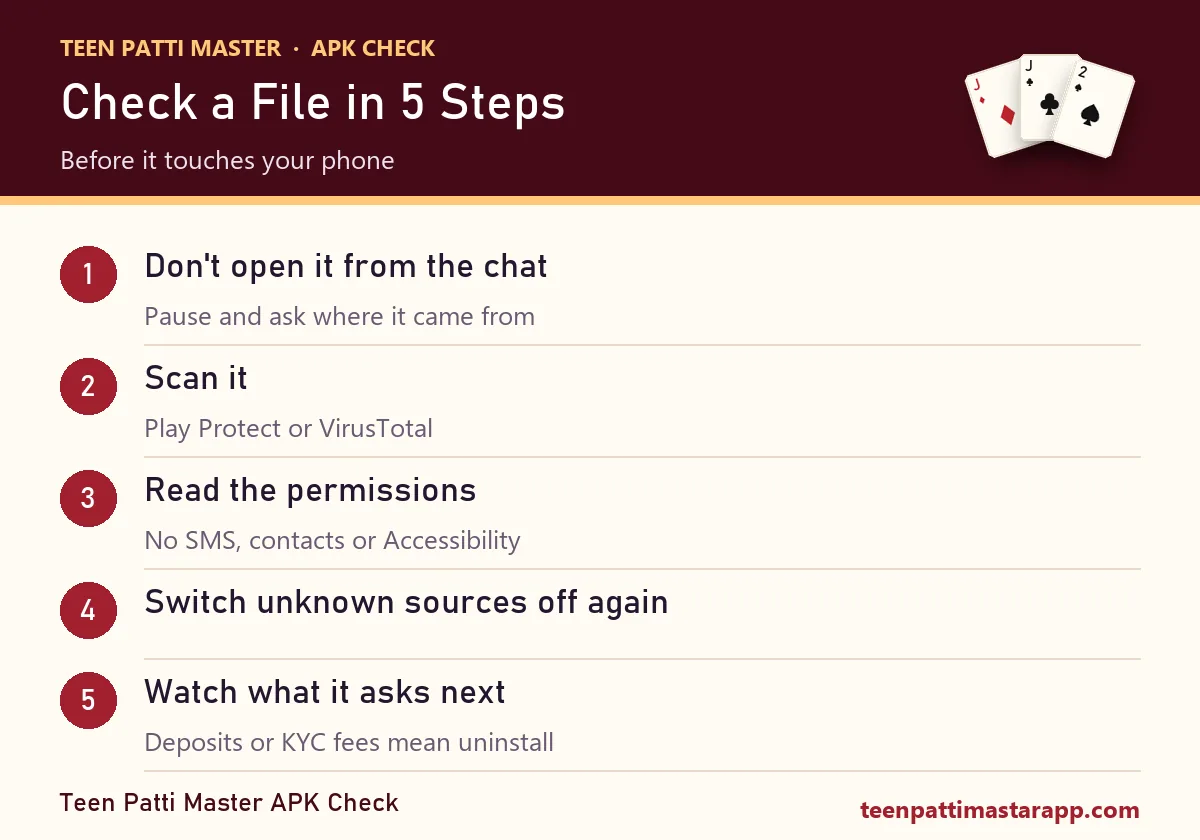
Don't open it straight from a chat
Save it, then stop and think about where it came from. Most scams rely on you tapping fast.
Scan it
Let Google Play Protect scan it, or upload the file to a scanner such as VirusTotal. A few vendors flagging it is enough reason to delete it.
Read the permissions screen
Android lists them before install. A card game has no use for your SMS, contacts or Accessibility service. Compare against our permissions table.
Never allow "install unknown apps" for good
If you turn it on for one file, turn it off again straight after in Settings → Apps → Special access.
Watch what it asks for next
Deposits, KYC with your Aadhaar, a "verification fee", or a WhatsApp support number are all signs to uninstall. Since the 2025 law, a Teen Patti app that takes deposits is operating outside Indian law anyway.
Already Installed Something Suspicious?
- Turn on airplane mode, then uninstall the app.
- Check Settings → Accessibility and Settings → Apps → Device admin apps. Remove anything you don't recognise.
- Reset your banking passwords and UPI PIN, ideally from another phone or a laptop rather than the one that ran the file.
- If money left your account, call 1930 straight away. Our step-by-step recovery list covers the rest.
Learning the Game Doesn't Need Any APK
If you just want to understand Teen Patti Master before trying any app, you can do all of it here, free and without installing anything: the rules, the hand rankings with a live checker, and a full sample round.
Frequently Asked Questions
Where can I download the official Teen Patti Master APK?
We don't share download links, and we'd be careful of any site that does. A genuine app is easiest to verify through an official app store, where the developer's name, reviews and permissions are visible before you install.
Is the Teen Patti Master old version safe?
Usually not worth the risk. Old builds miss security fixes, and sites that collect them rarely check what's inside. A real app updates itself through the store.
Do "unlimited chips" Teen Patti Master mods actually work?
No mod can change cards dealt on a server or the chips stored in your account. Mod APKs are mostly a way to spread malware or steal logins.
Play Protect blocked the APK. Should I install anyway?
No. Delete the file. Play Protect's warning is there for exactly this situation.